Notes, journals, boards, canvases and notebooks, kept as plain Markdown on your own devices and sealed when they sync. When you want more, Claude, your calendar, Notion, GitHub and Slack are a switch away.
Tickets, cycles and a Gantt, in files the team owns.
Give a notebook a key and its notes become tickets. Boards, a Gantt, burndowns and a roadmap are drawn from a query, and all of it stays Markdown: front matter and fences, readable in Obsidian or on GitHub, backed up with git.
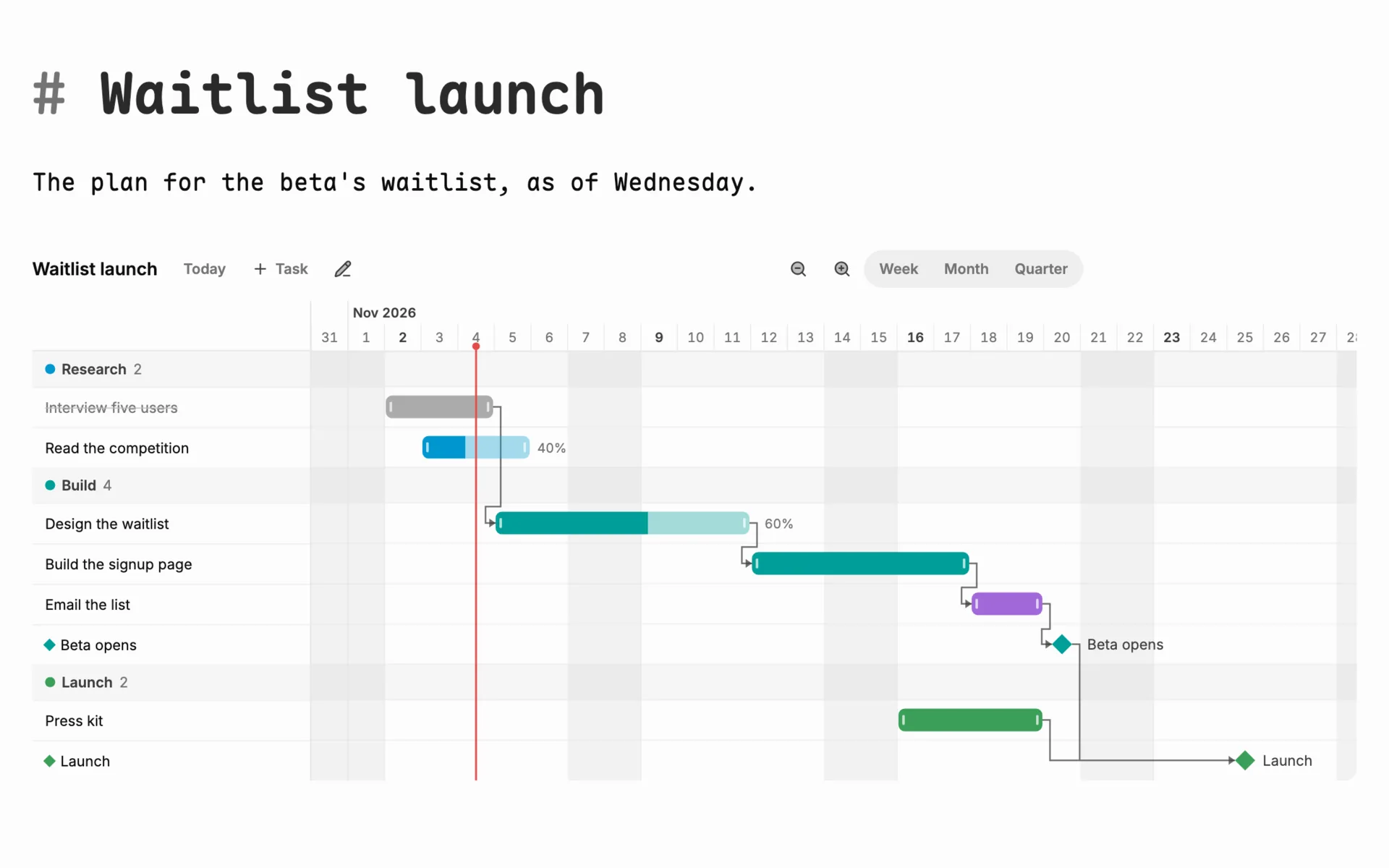
The Gantt, in plain Markdown: drag a bar to move or stretch it, link what waits on what, mark a milestone. show: gantt draws one from any query.
Tickets in notebooks
Keys like HT-12, statuses, assignees, due days, priorities, labels and components. Sub-tickets with a progress bar, a check before a blocked ticket is done, and templates for new ones.
Boards, tables, calendars, charts
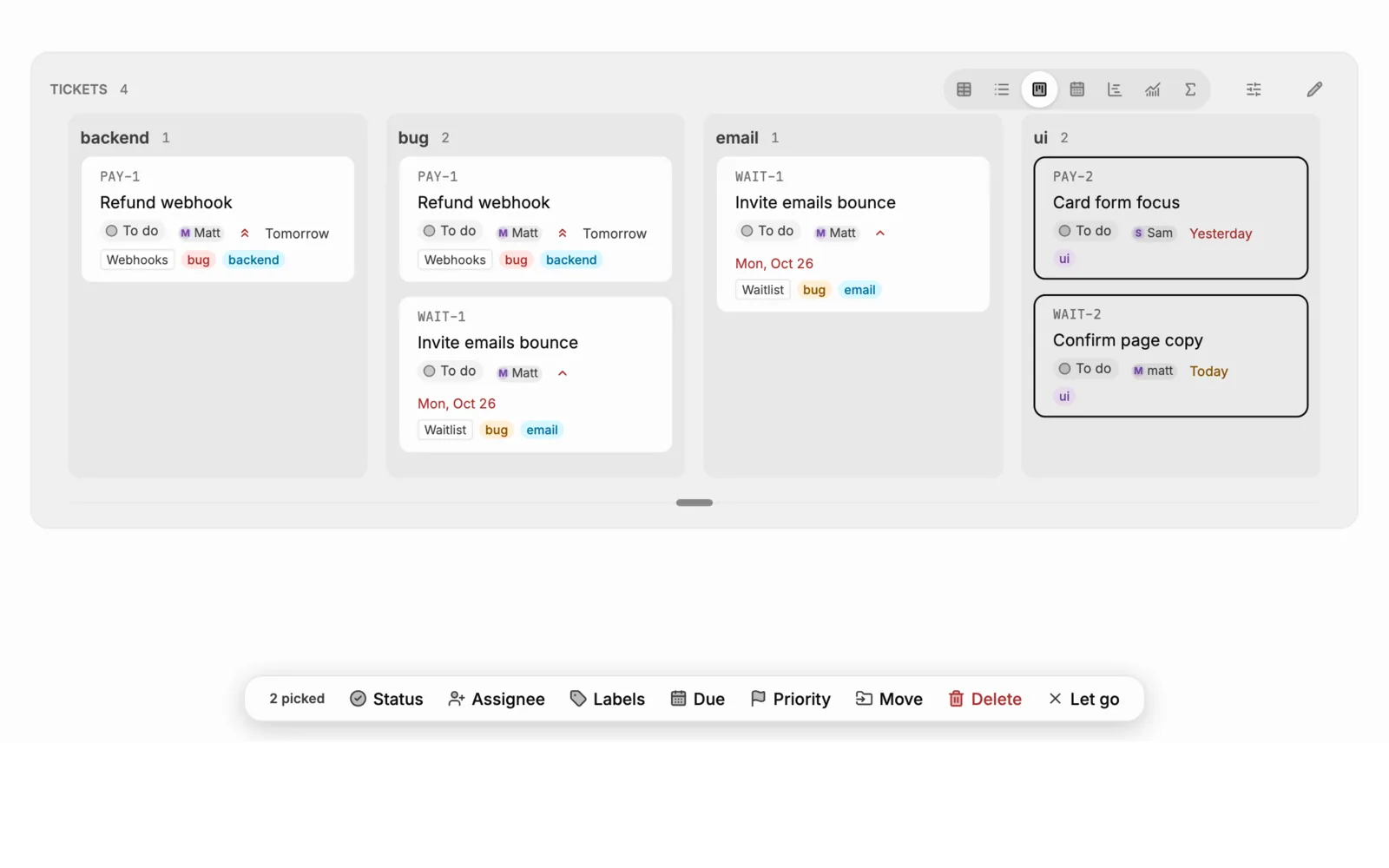
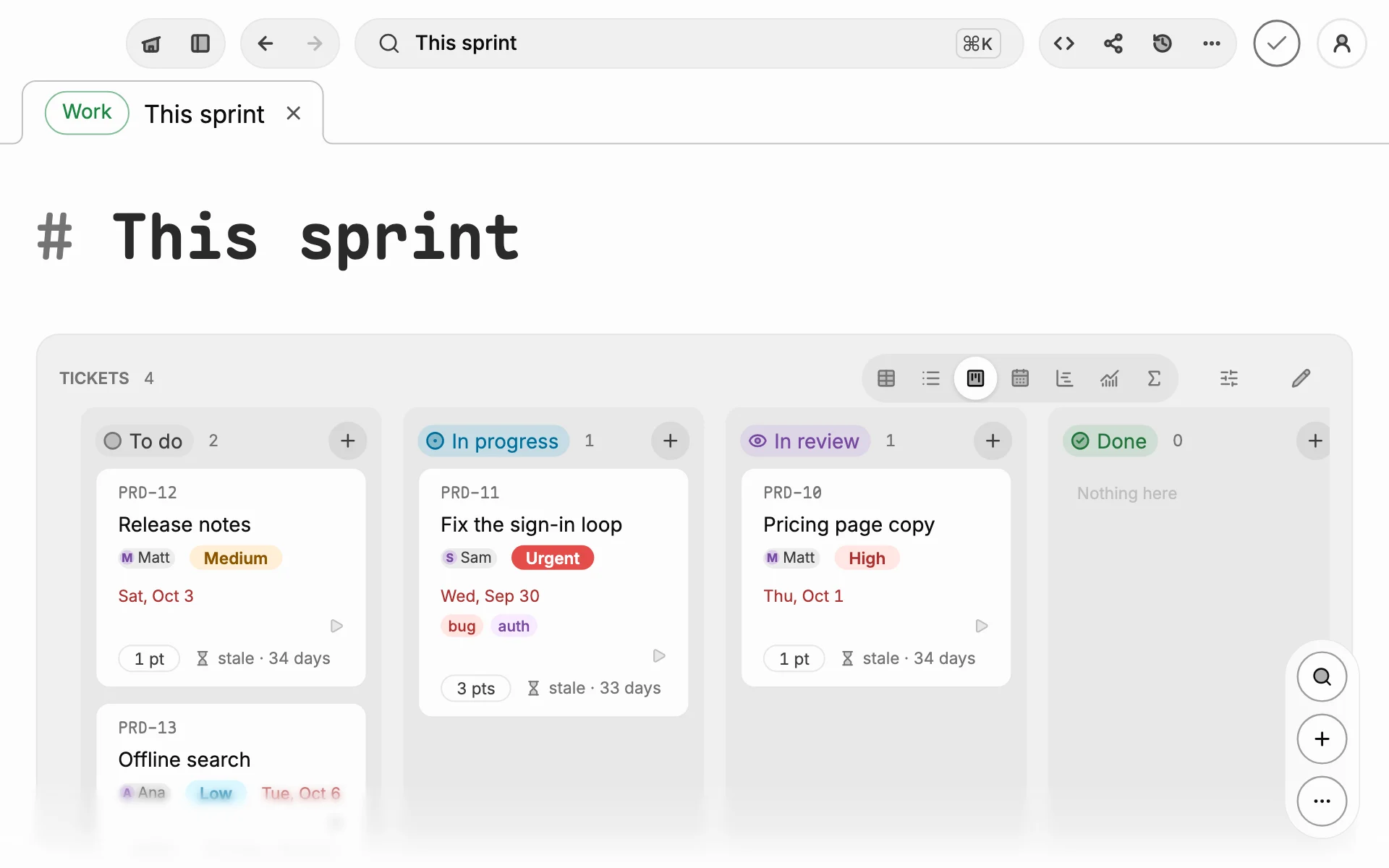
One ```query fence, shown as a board, a table, a list, a calendar, a chart or a rollup. Pick a few cards and change them all at once.
Cycles, epics and a roadmap
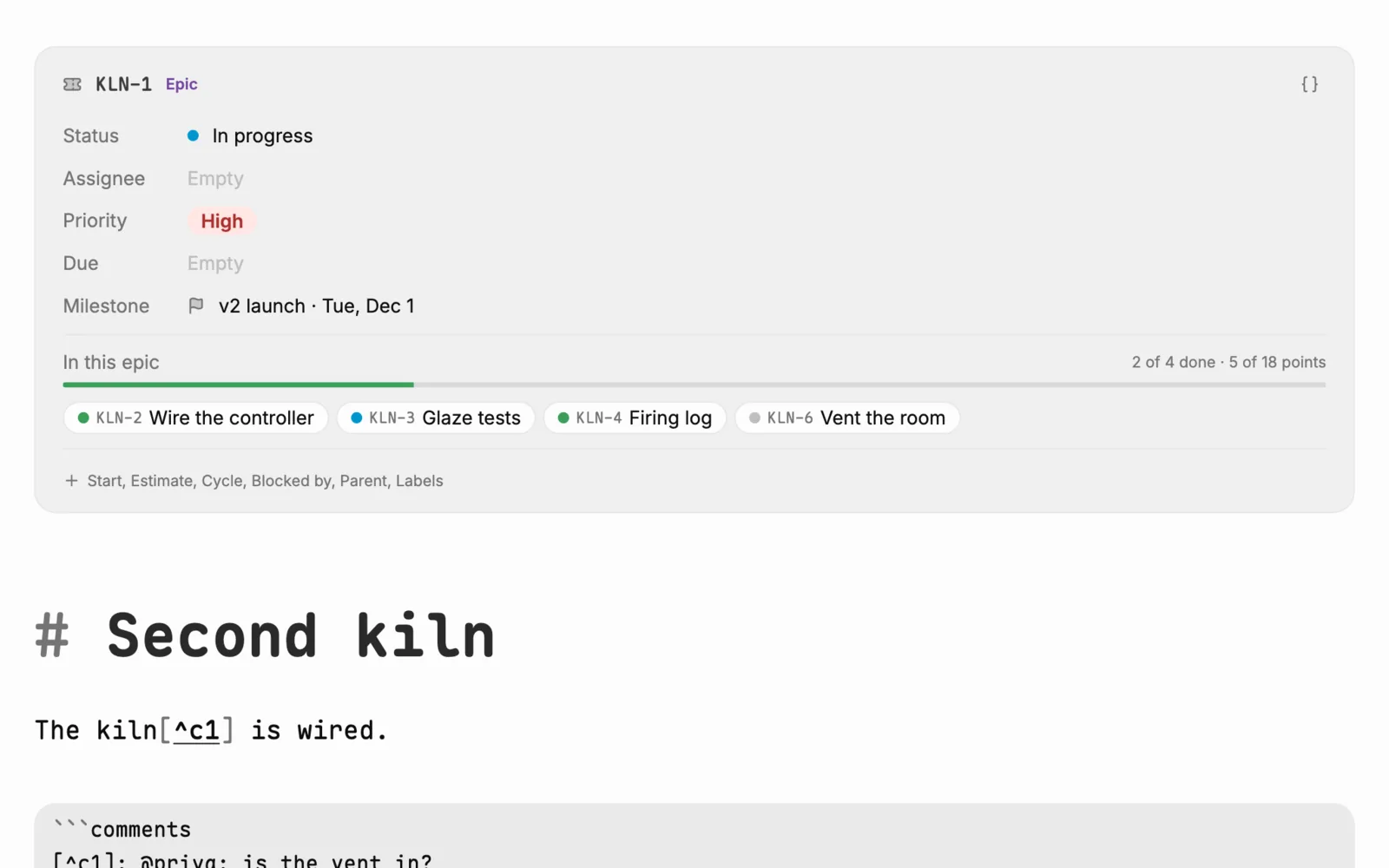
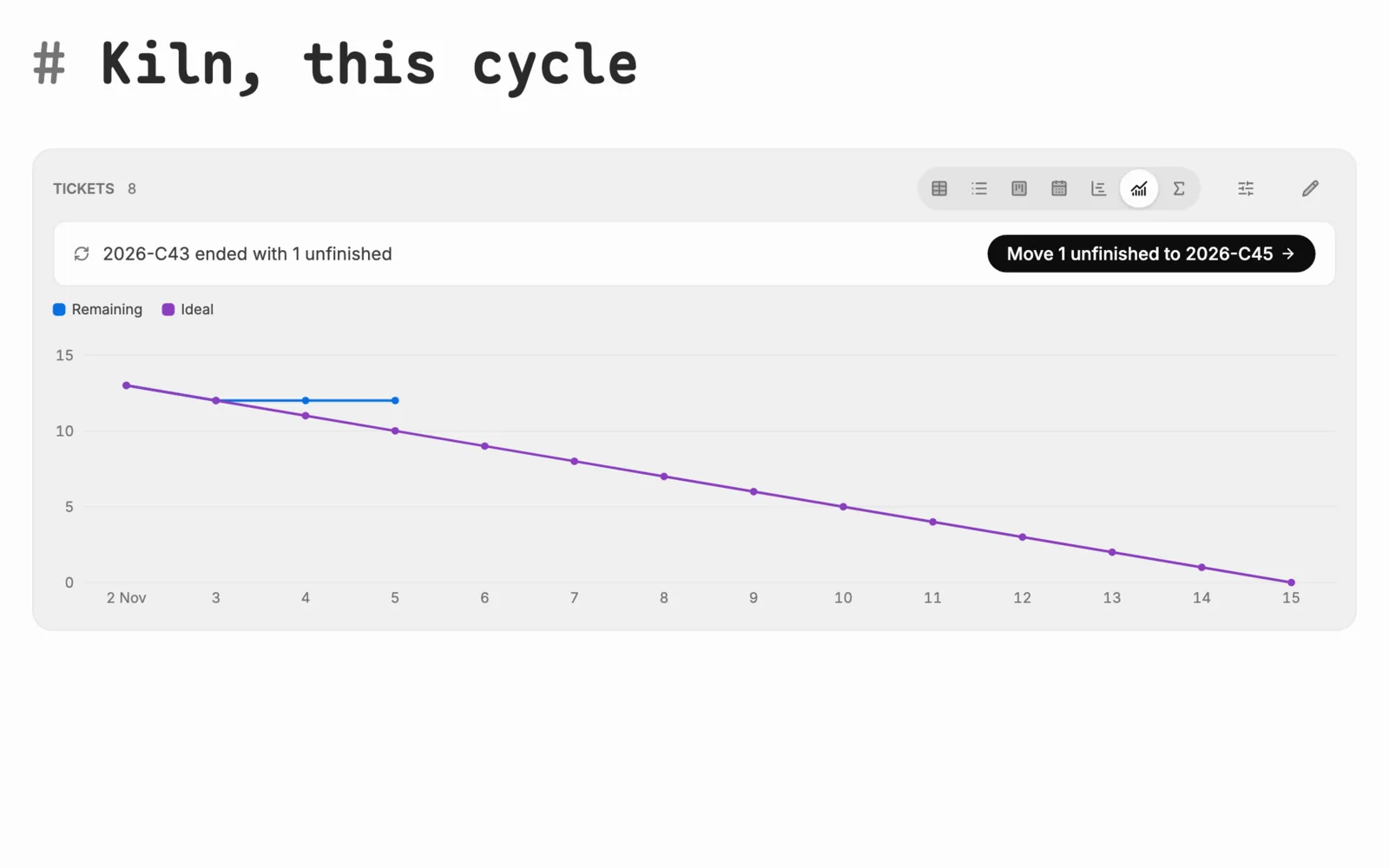
Cycles with a burndown and velocity, and unfinished work carried to the next. Epics that add up their tickets, milestones, and a roadmap drawn from them.
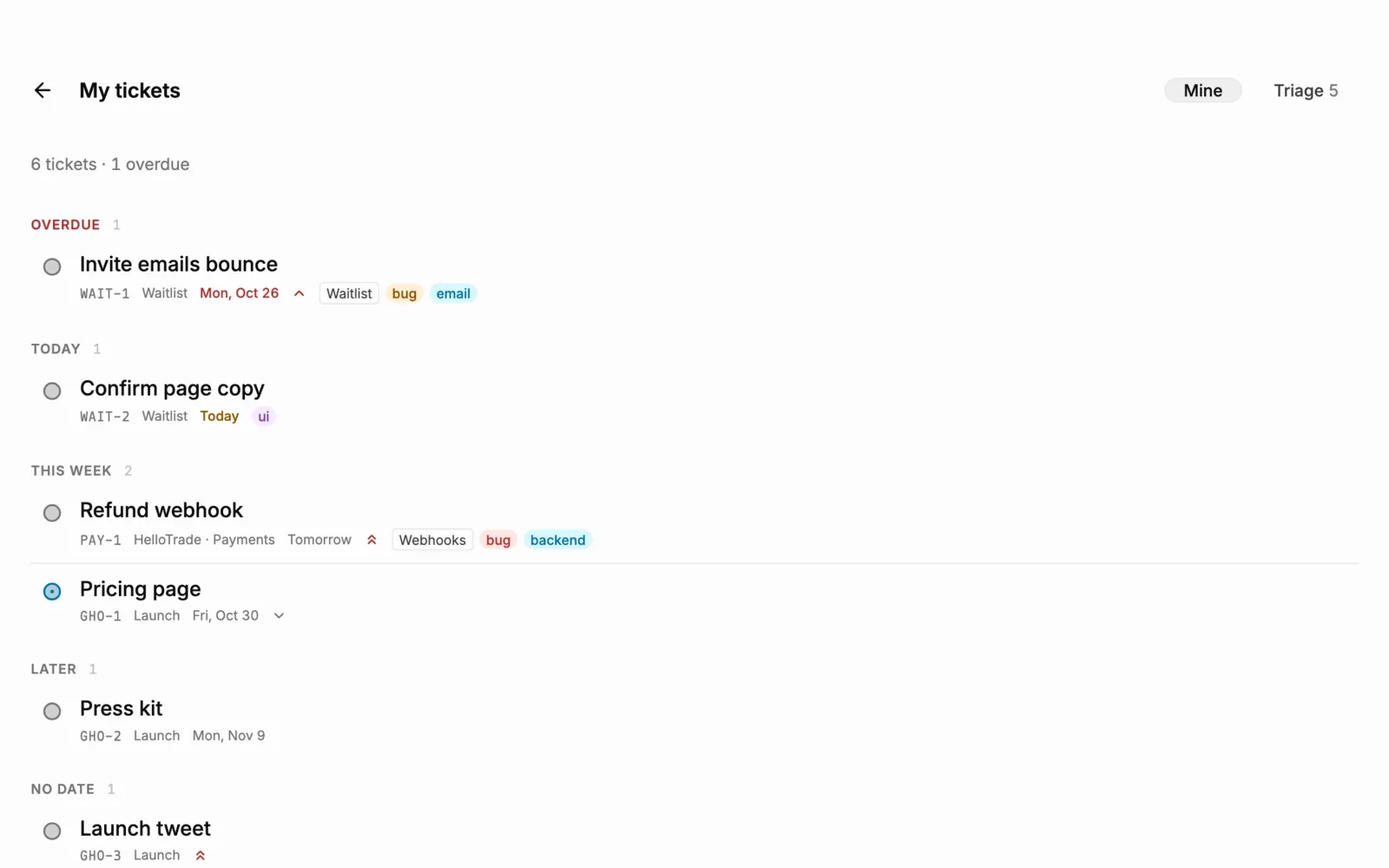
My tickets and Triage
Everything assigned to you across every notebook, by when it is due. Triage works a queue by keys: J and K to move, A to assign, P for priority, T for done.
Forms that land as tickets
Share a link and anyone can fill the form in, with no account. Each answer arrives sealed and becomes a ticket in the notebook, ready to triage.
Organizations
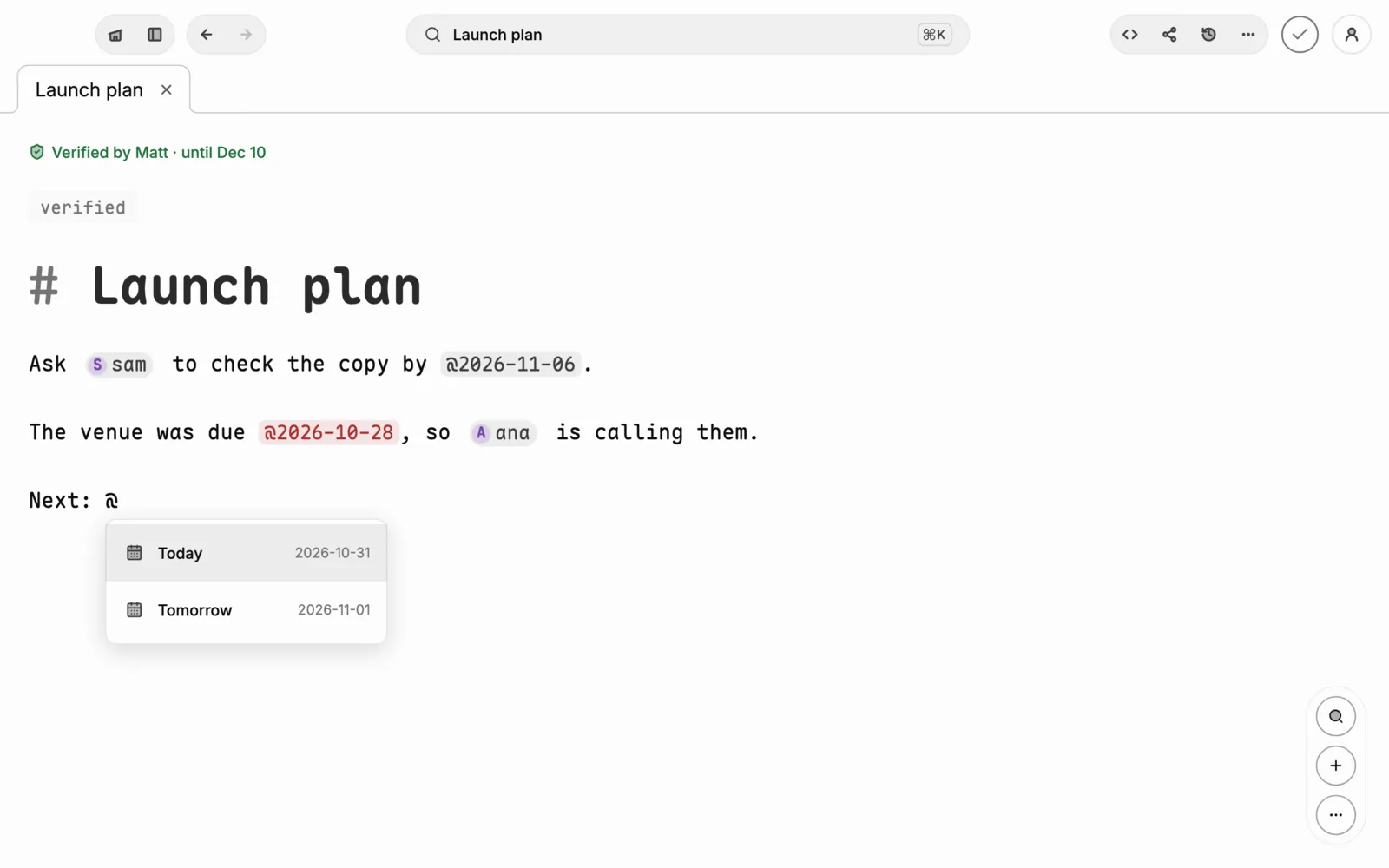
Shared notebooks and folders, sealed end to end. @mention a teammate or a day, verify a page as the team's current truth, and leave comments in the margin. Writing together is below.
Rules
“When status becomes Done, post to Slack.” Sentences in a ```rules fence in the notebook, run as its tickets change.
Pull requests and time
A GitHub pull request sits on its ticket, and Start and Stop keep the time spent on it.
Watchers and history
Watch a ticket to hear of its changes, read its history, and get a morning digest of what is due.
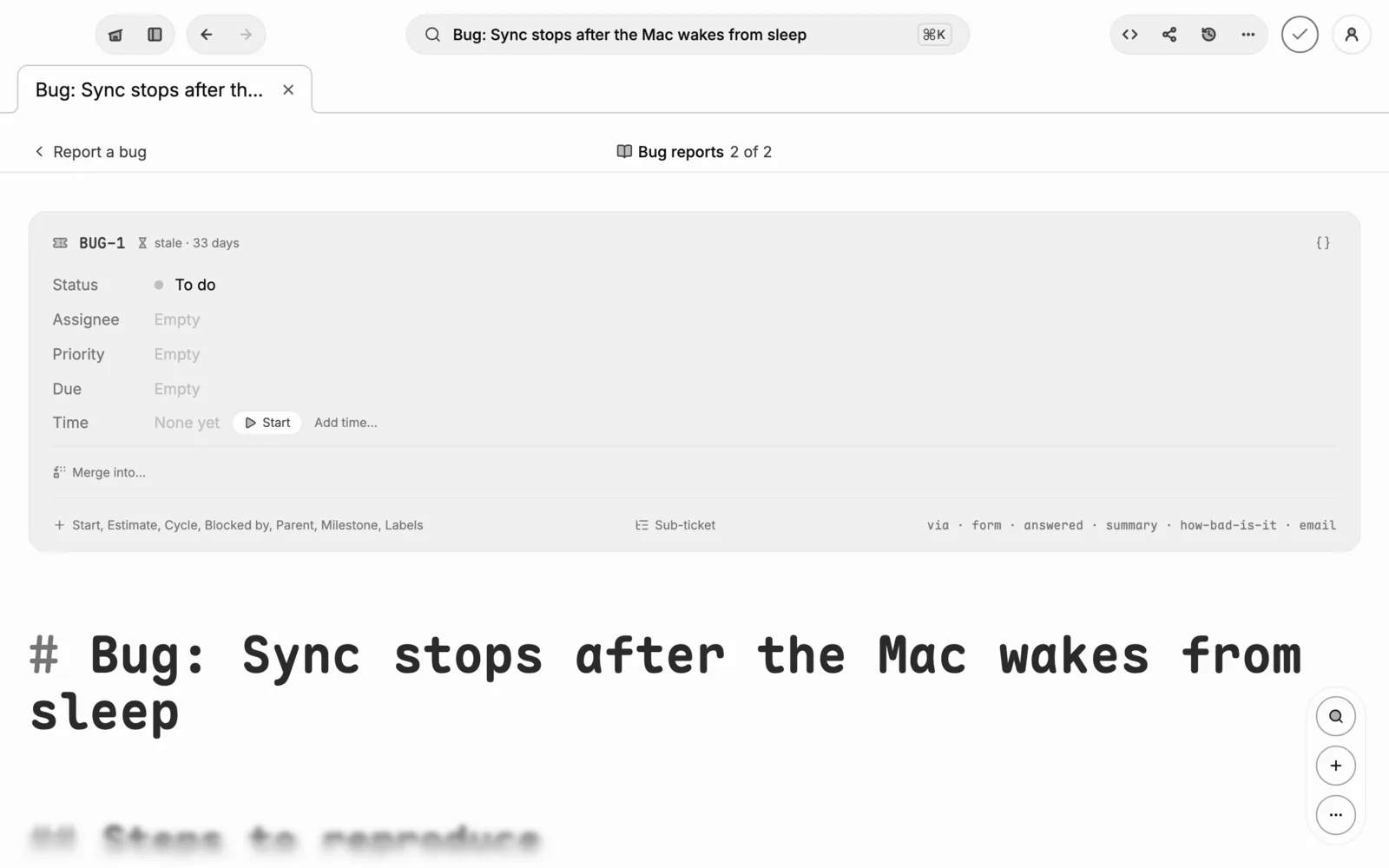
Duplicates and merge
Possible duplicates are shown as a ticket is made, and Merge into… moves comments and links, with one Undo.
Meetings
Ghost joins Meet and Zoom, writes the transcript as the call runs, and posts the summary to Slack.
All of it Markdown
Front matter and fences, nothing else. Open the notebook in Obsidian or on GitHub, and keep it in git.
A notebook's key, statuses and rules live in its index note; each ticket is its own .md file. Every mark is on the formatting reference.
Lovart
Images from your notes.
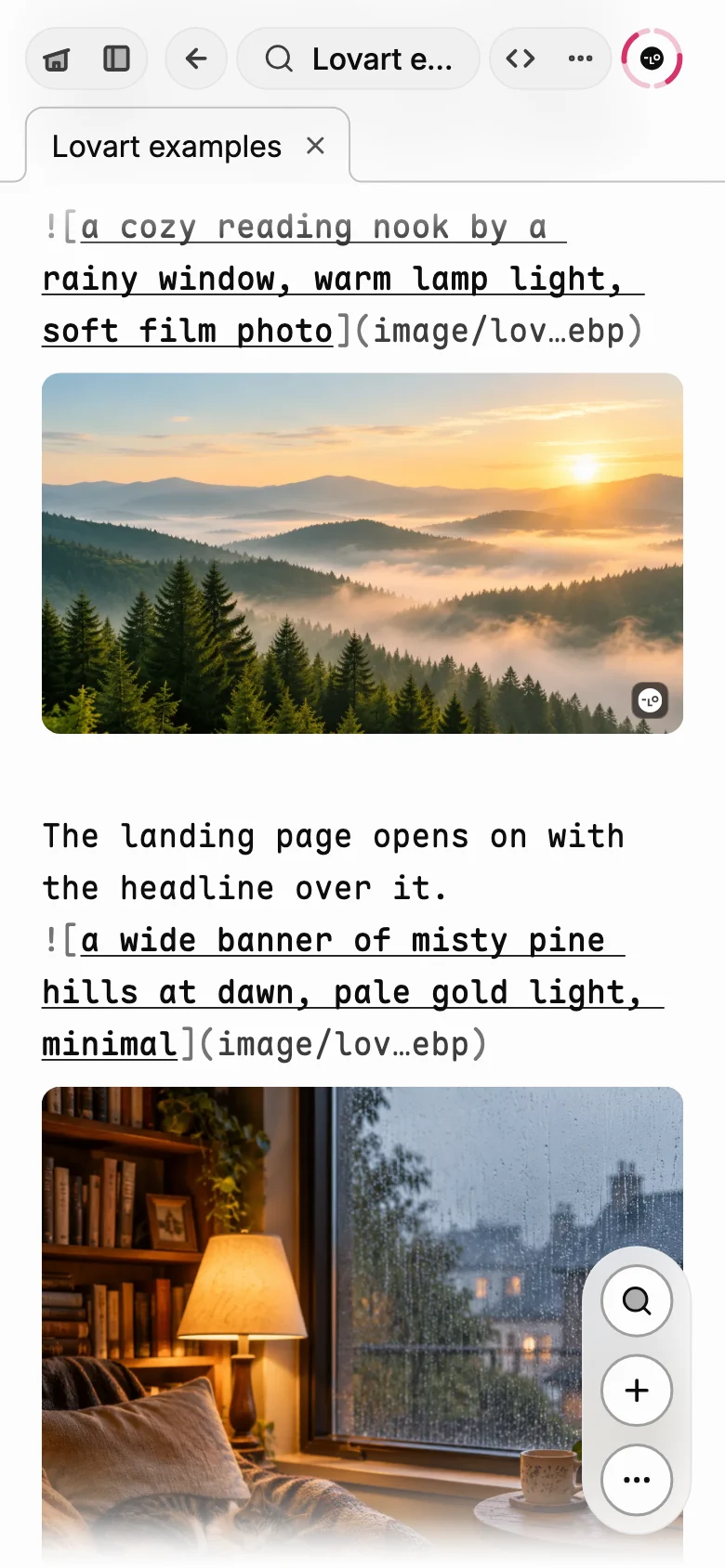
The Lovart plugin brings Lovart’s design agent into your notes. Write {image: …} where a picture should go, ask any note for a moodboard of four, and a design meeting comes back with inspiration once it is written up.
With your own Lovart account and its credits. The keys stay on your devices, sealed when they sync.
Claude
Claude, built in and connected.
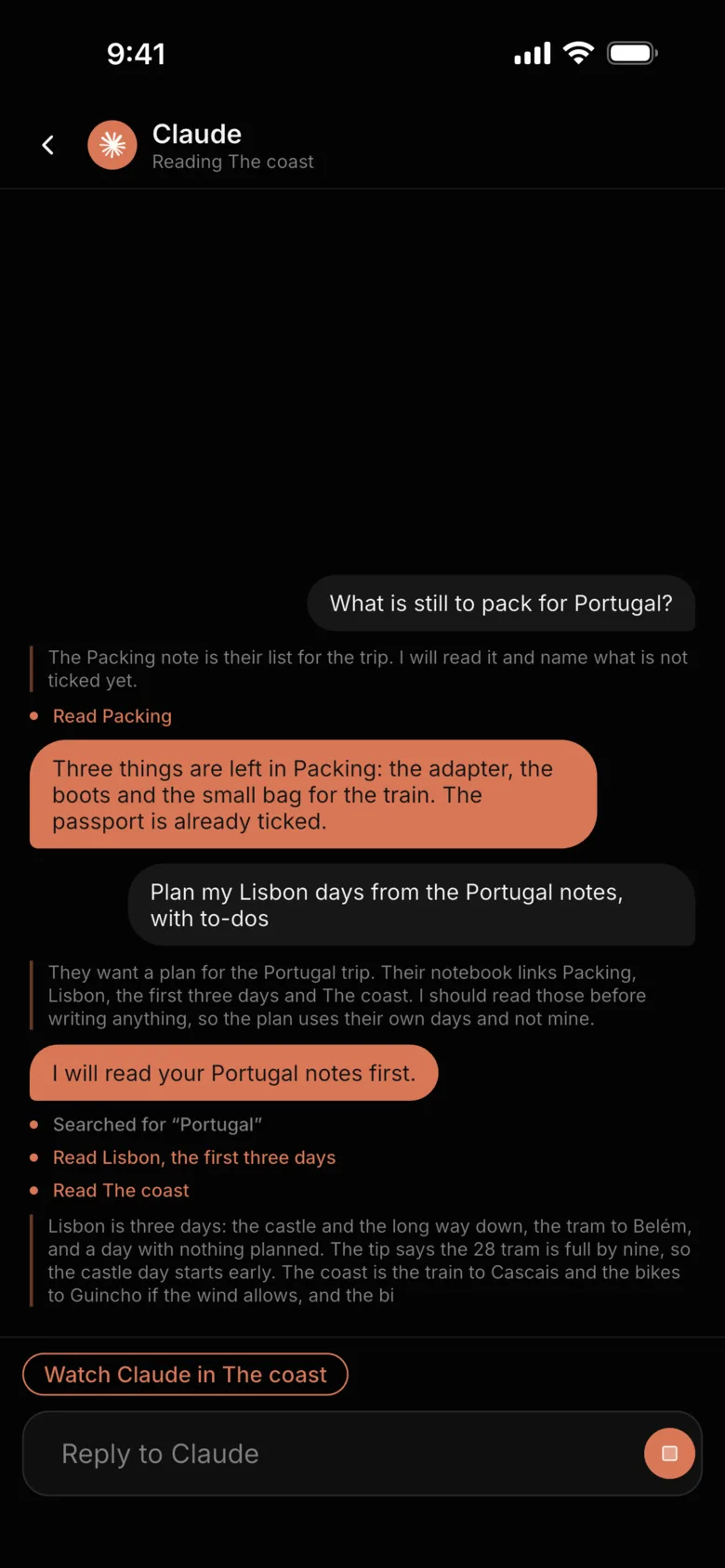
Ask Claude inside Ghost.md and watch it write into your notes as it thinks. Or let Claude's own apps read and write them, and see it working, live.
In the app, with your own key
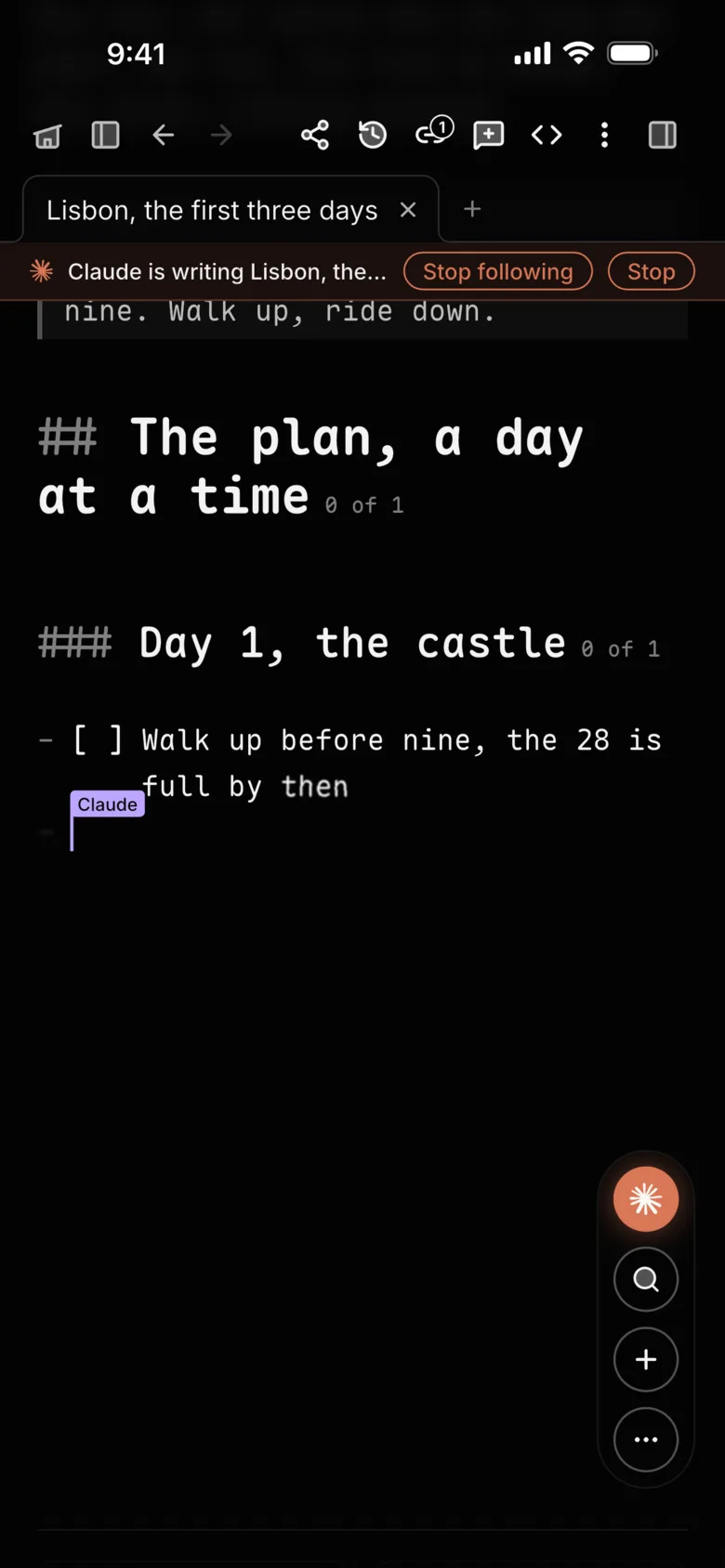
Watch it type. Ask in the chat and the note opens as Claude starts writing. Its words arrive at its own caret, word by word, and the page follows them.
Its thinking, shown. What Claude is weighing streams in as it goes, with a line for every note it reads or changes.
Follow along, or take over. Claude moves from note to note and you go with it. Type anywhere and the following stops; Claude's words keep landing where it was.
Talk to it. Press Claude's microphone on the dock and say what you want. The words are heard on the device, and no audio is kept. On Android and the Mac.
Your key, your device. Your Anthropic key is kept in the device's secure storage, and reaches your other devices only sealed to your account, never readable on the way. What you ask goes from the device to Anthropic, and nowhere else.
From claude.ai, Claude Desktop and Claude Code.
Add Ghost.md as a connector and Claude reads, searches and writes your notes, tickets and comments included. While it works it shows as online, and you can open the note it is in and see its caret move.
Make a ticket for the login loop, highest priority, for Sam.A ticket note, its fields in front matter, in the notebook you name.
What is due this week, and who has it?It searches your tickets and to-dos and tells you.
Tidy my meeting note, as suggestions.Each change is marked for you to Keep or Revert.
Online, by name. Claude shows as online, saying what it is reading or editing, and Follow takes you to it.
In the comments. It reads a note's threads, replies and resolves them, as a person would.
Signed, and careful. Claude joins the authors of what it writes. It never writes over an edit from your other devices, and what it deletes waits in the Trash for you.
Connect Claude
https://ghostmarkdown.com/api/mcp
In claude.ai and Claude Desktop: Settings › Connectors › Add custom connector. In Claude Code: claude mcp add --transport http glyph https://ghostmarkdown.com/api/mcp
Claude in the app is on Android, iPhone and the Mac, and Anthropic bills your key. The connector works with every version of Ghost.md.
Calendar
Your calendar, in your notes.
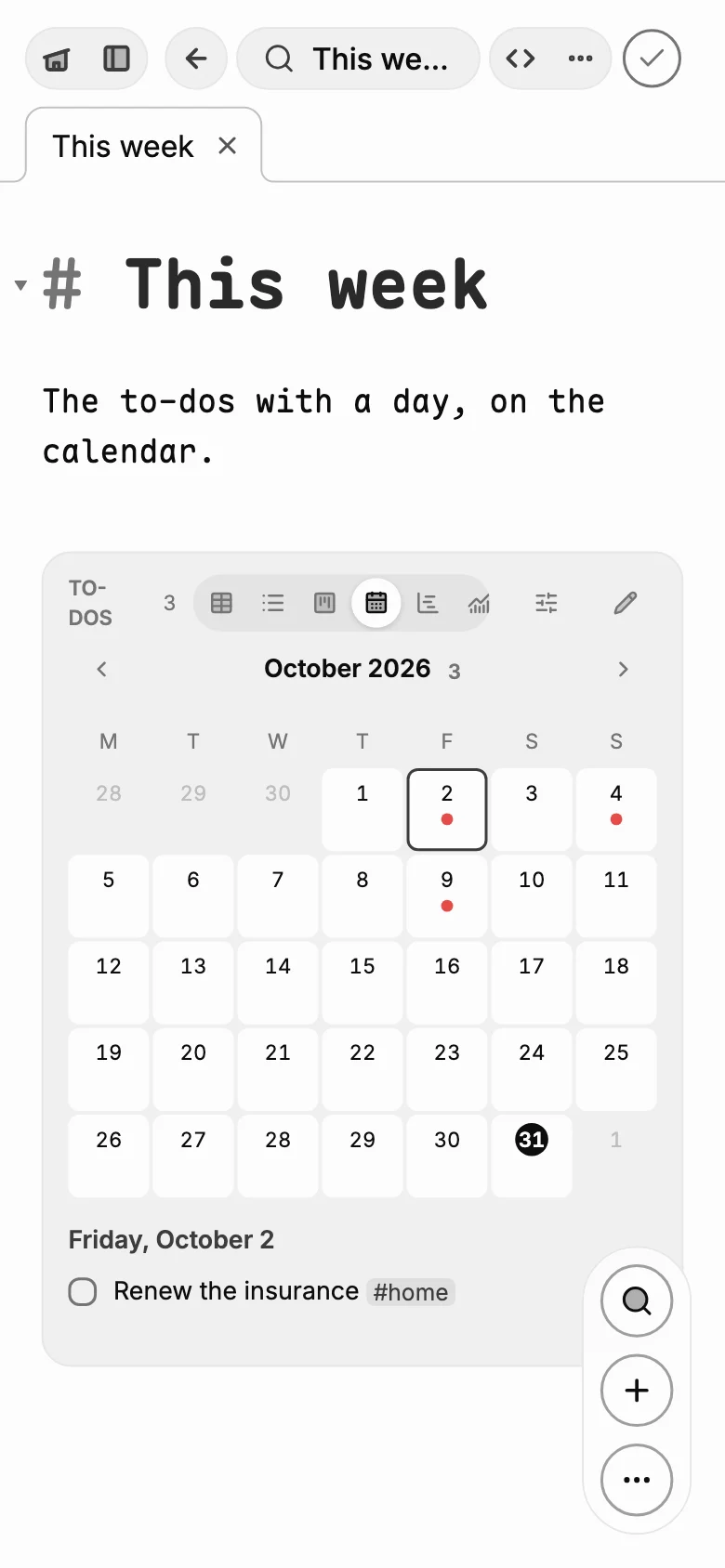
Connect Google Calendar and your day is one page: today's events at the head of home, above your notes, and your dated to-dos on your calendar.
To-dos on your calendar, within seconds. A to-do with a due day is an all-day event a few seconds after you write it. Change the day and it moves; tick it off and it is gone.
Events you can query. Ask for events like any note, and draw them as a list, a table, a month or a timeline.
Any calendar. Paste the iCal address of an iCloud, Outlook or Fastmail calendar and its events are in too. Nothing to sign in to.
Kept to itself. Only the events Ghost.md made are ever changed. The addresses and the sign-in stay on your devices and in your sealed settings.
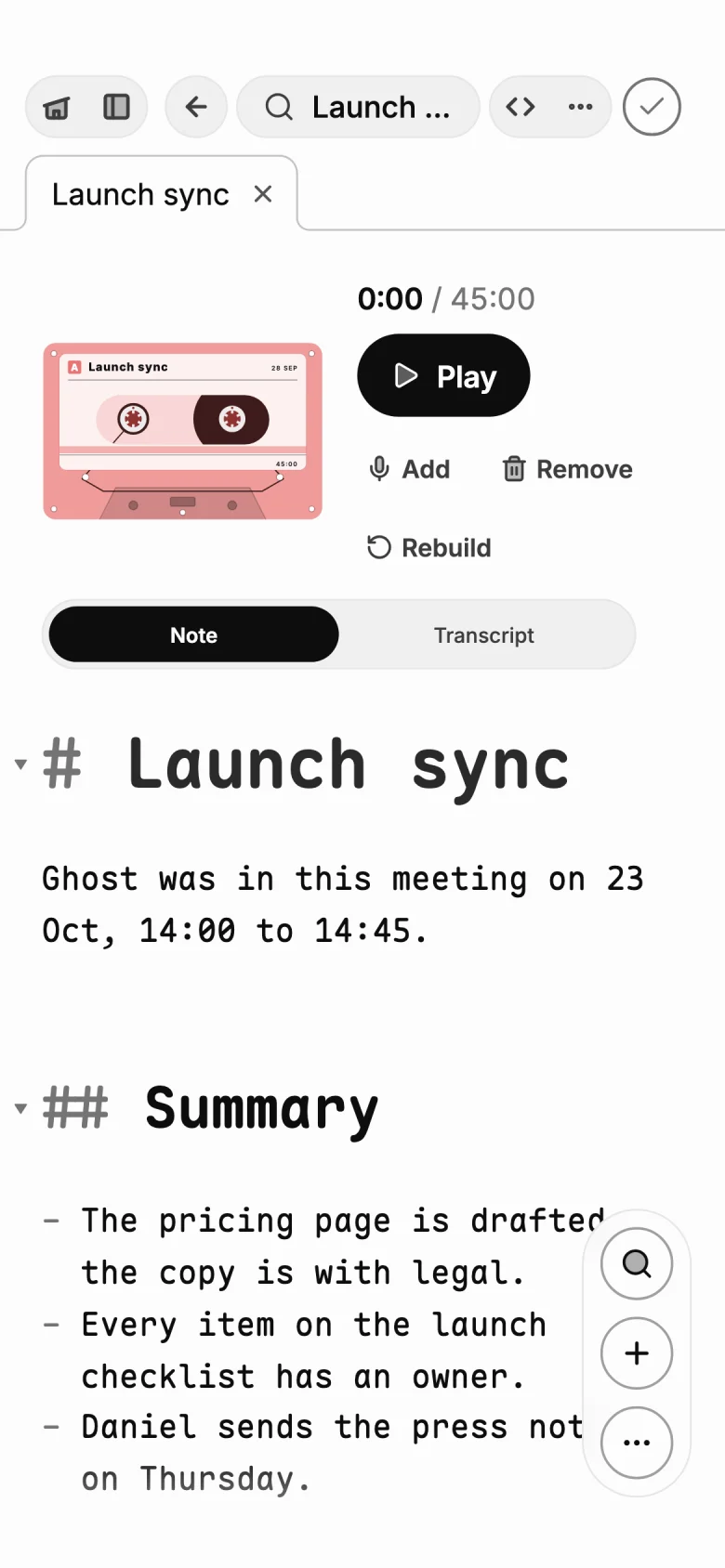
Invite Ghost to a Google Meet call and it joins by itself, records the meeting, and files it as a note: the transcript with who said what, and a summary of what was decided and who does what next.
Invite it like anyone else. Add your Ghost address, a name of your own like you@in.ghostmarkdown.com, as a guest on a Google Calendar invite. Or paste a Meet link and press Join.
Every standup, not just the first. A recurring meeting is joined every time it comes round. Skip one, or stop joining the series, from Settings › Meetings.
Who said what. The transcript comes with the speakers' names, and the summary is written on your device, with the to-dos as to-dos.
On every device, as soon as it ends. The recording reaches your phone and computer the moment Ghost leaves the call, and sits on a shelf of tapes on your home page.
Filed where it belongs. Each meeting is sorted into the right workspace's Meetings folder, by what was said in it.
Sealed as it records. The meeting's sound passes through Ghost.md's server while it records, sealed to your account as it arrives. It is written up on your device.
Google Meet for now. Ghost joins from its own account, so someone in the call lets it in.
Plugins
Notion and the rest, as plugins.
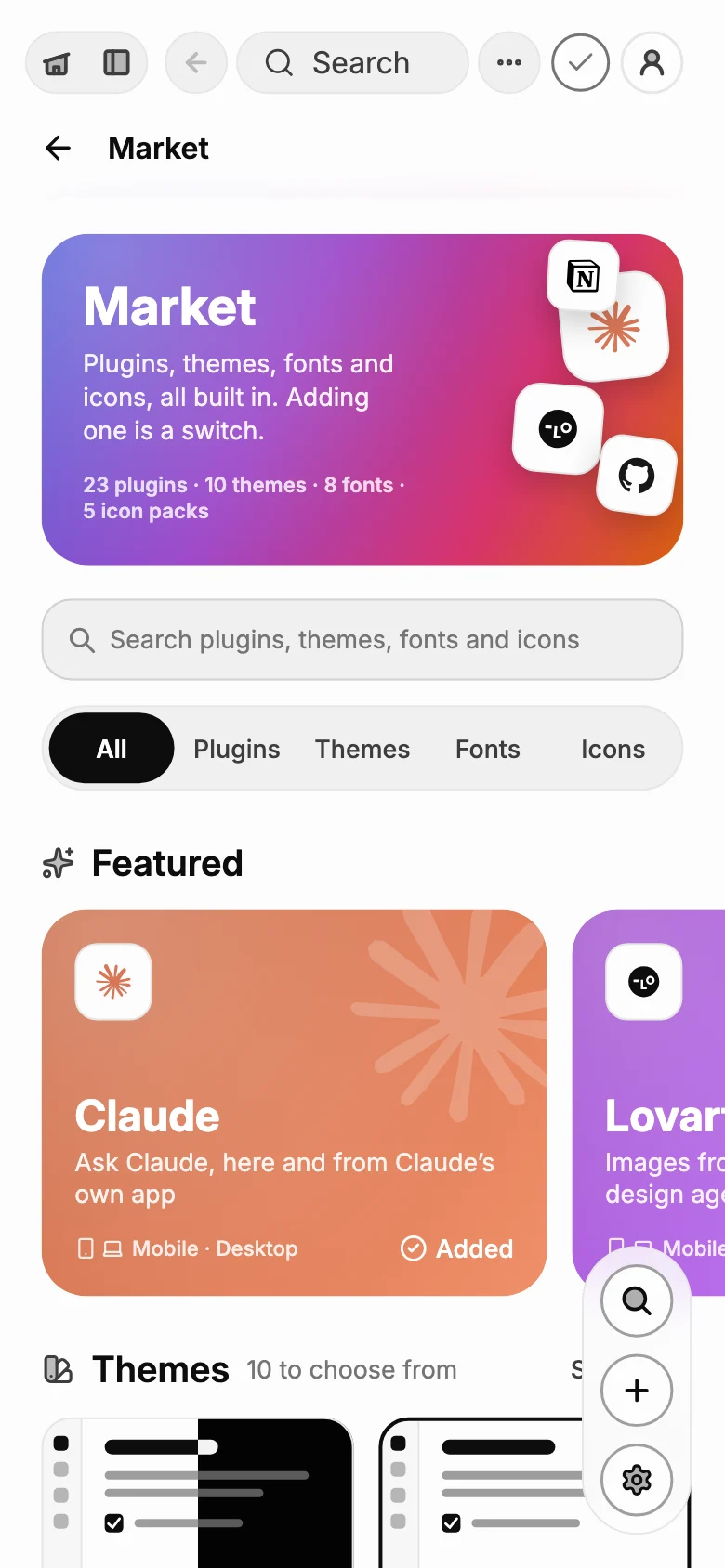
The Market is a catalog to browse. Every plugin ships inside the app: switch one on and it is there, switch it off and it offers nothing, keeping what it had.
Sign in with Notion and pick a board. Then a to-do in any note can become a task there.
One at a time, or a whole list. Swipe an item, tap the quiet Notion after it, or send the note's list from its More sheet.
In step both ways. Tick the item and the task moves; change the task in Notion and its status shows on the item.
Open it in place. Tap a linked item to see the task in a drawer, without leaving the note.
Not on the iPhone yet.
GitHub
A note linked to a repo sends its items as issues, ticked both ways.
Slack
Post a note, a meeting's summary or your team's news to a channel. Not on the iPhone yet.
Webhooks
Out: tell a URL when notes change or a to-do is done. In: a URL that adds to a note, from Zapier, Make, IFTTT or curl.
Todoist and Things
Bring your projects in: tasks, due days, priorities, labels and sub-tasks, as notes and to-dos.
Contacts
The people on your to-dos with their pictures, and a card to call, text or email them. Nothing about them leaves the device.
Place reminders
A to-do with a place reminds you when you get there. On Android.
Rich embeds
A YouTube, Spotify or Figma link alone on a line is a card that plays or shows it.
Marks
Ghost.md's own marks on top of Markdown: a spoiler in smoke, highlights, asides, redactions and effects.
Claude and Calendar are plugins too. The catalog is in the app on Android, iPhone and the Mac, and on this site, with every theme and font.
Plain Markdown
A place for everything, in files you own.
Under it all, every note is a .md file. Journals, boards, canvases, notebooks and tickets are Markdown too, so any app can open them.
Home
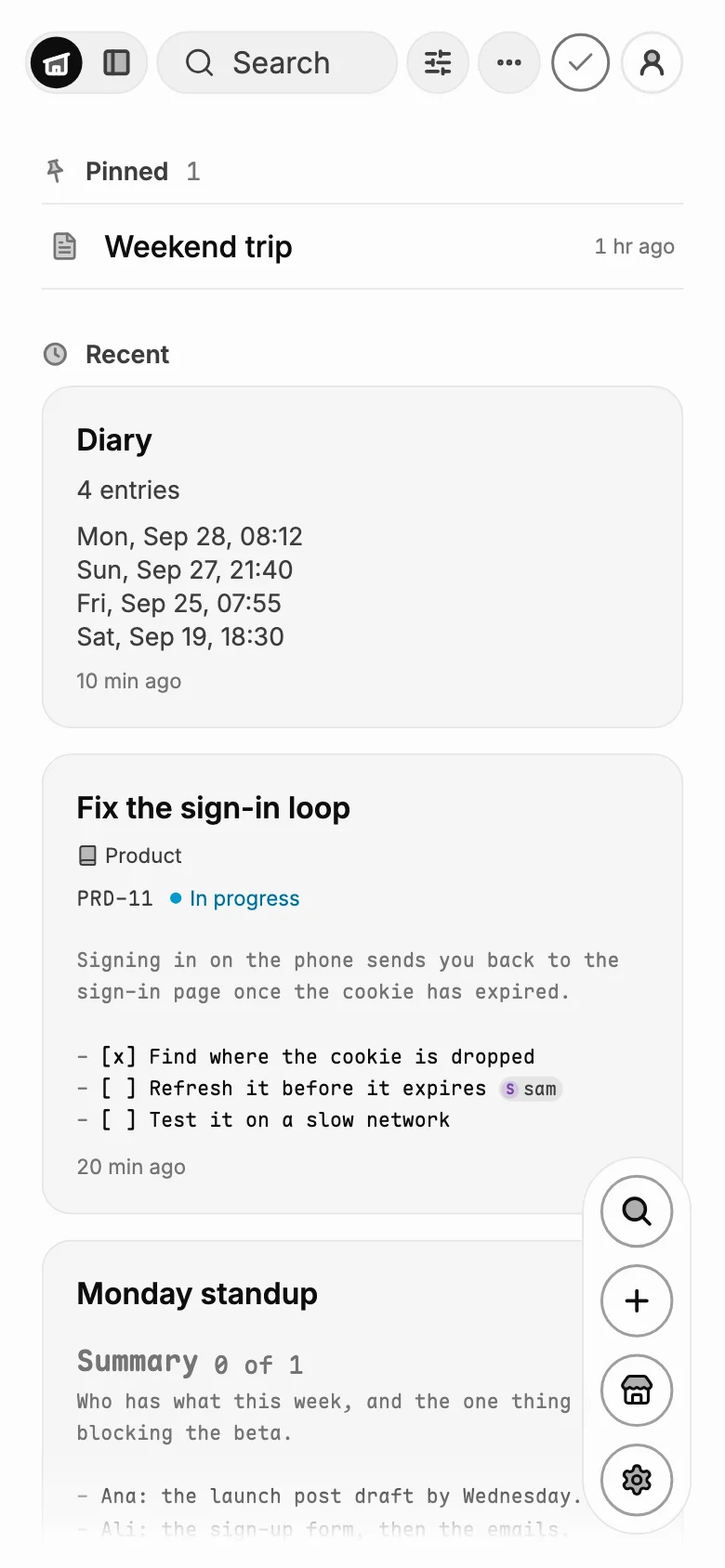
Pinned first, then where you left off.
Journals
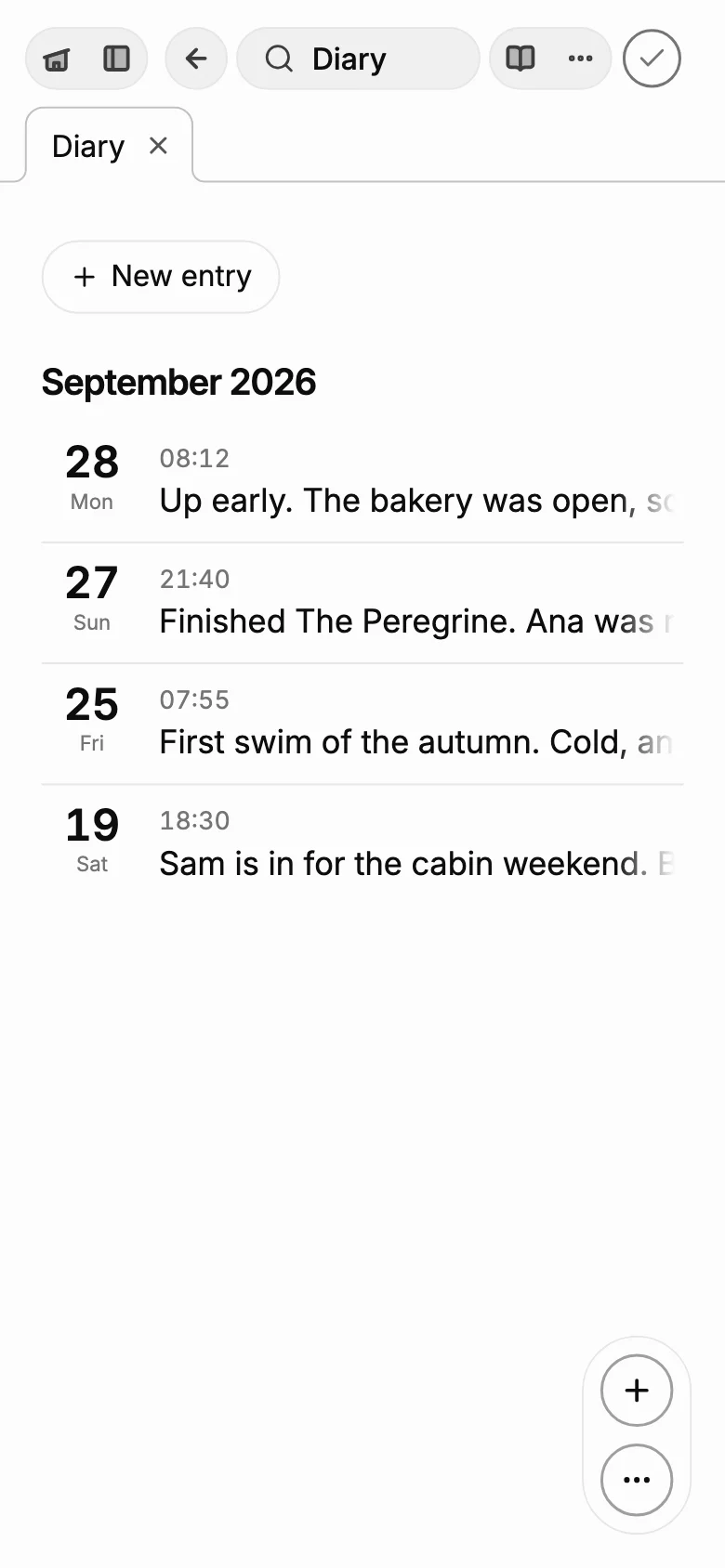
Dated entries, from your own template.
Boards
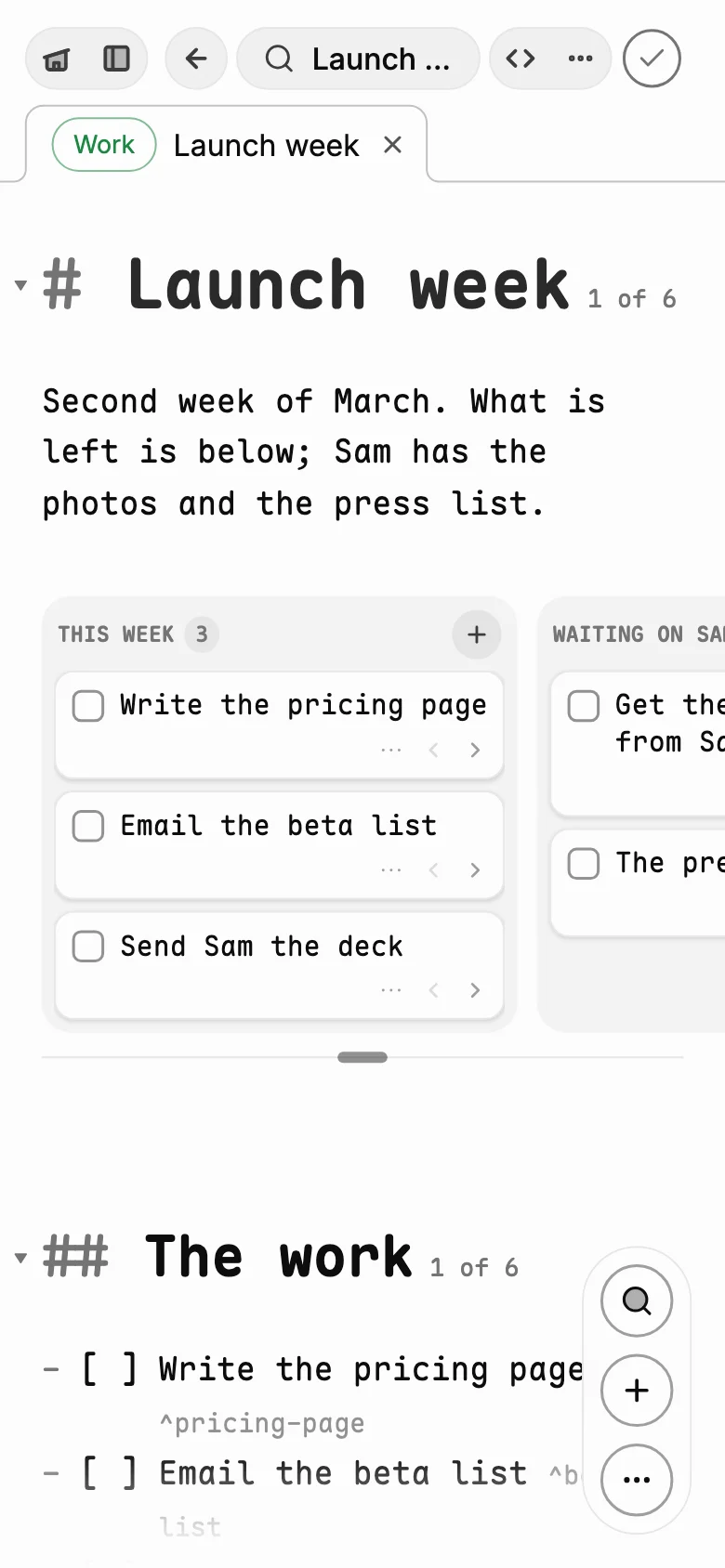
To-dos as cards, still lines in the note.
Canvases
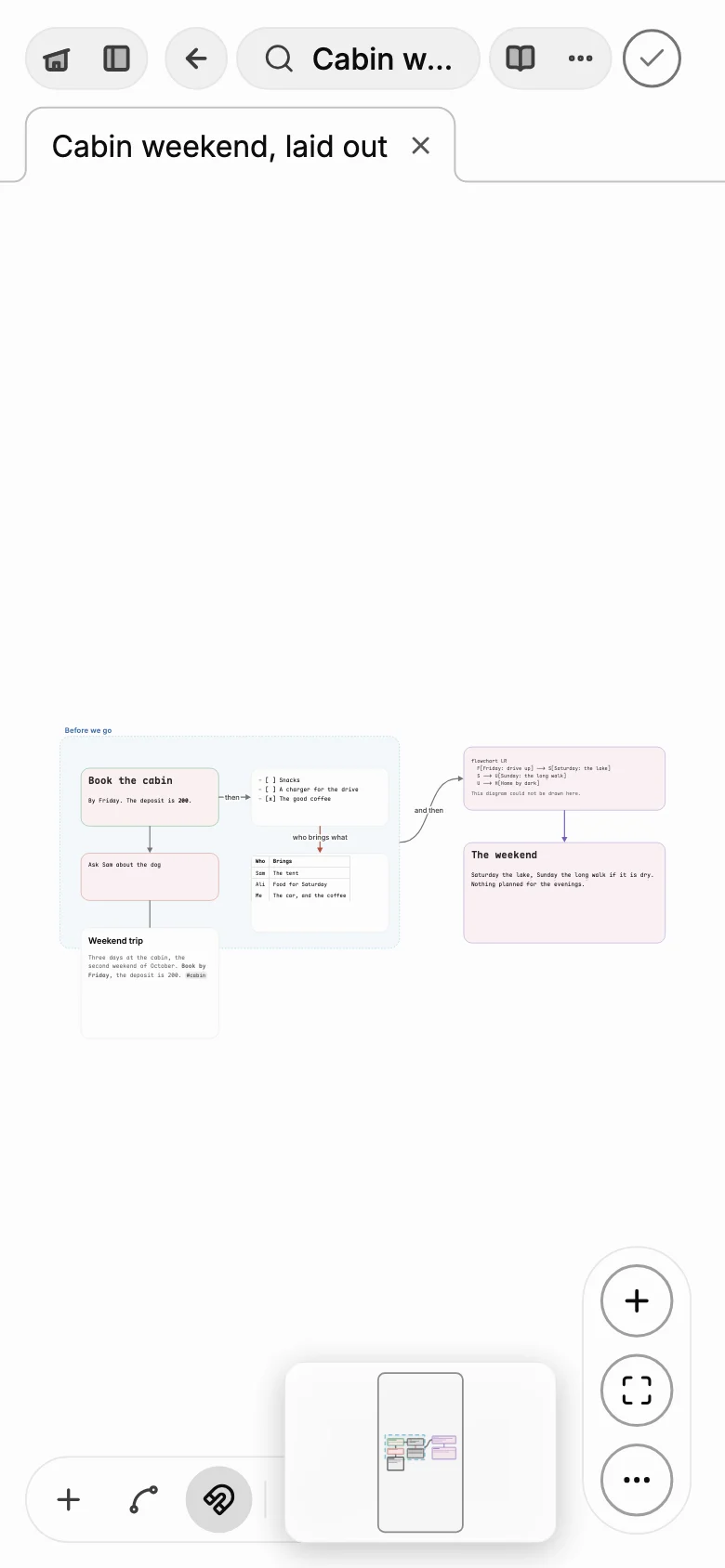
Ideas on a page, joined up.
Find anything. Search every word, and filter by notebook, pinned or workspace.
Keep work apart. Workspaces hold their own notes, each in its color.
Notebooks. Notes in order, read straight through, with timelines and diagrams drawn from their own lines.
Voice
Speak a note. Record a meeting.
Say what you want written and it arrives as Markdown, its to-dos as to-dos. Record a meeting, even with the phone locked, and afterwards the device transcribes it and writes a summary under the title: what was decided, and the to-dos. The tape stays with the note, on the device.
On Android and the Mac. The words are heard on the device, and the microphone is on only while you record.
A meeting's tape, as it sits at the top of its note, playing. Tap it to pause.
Plan
Tickets, boards and queries, written in Markdown.
A few plain marks, drawn as the tools a team plans with. The file stays text: any Markdown app opens it, and Obsidian and GitHub read the same marks.
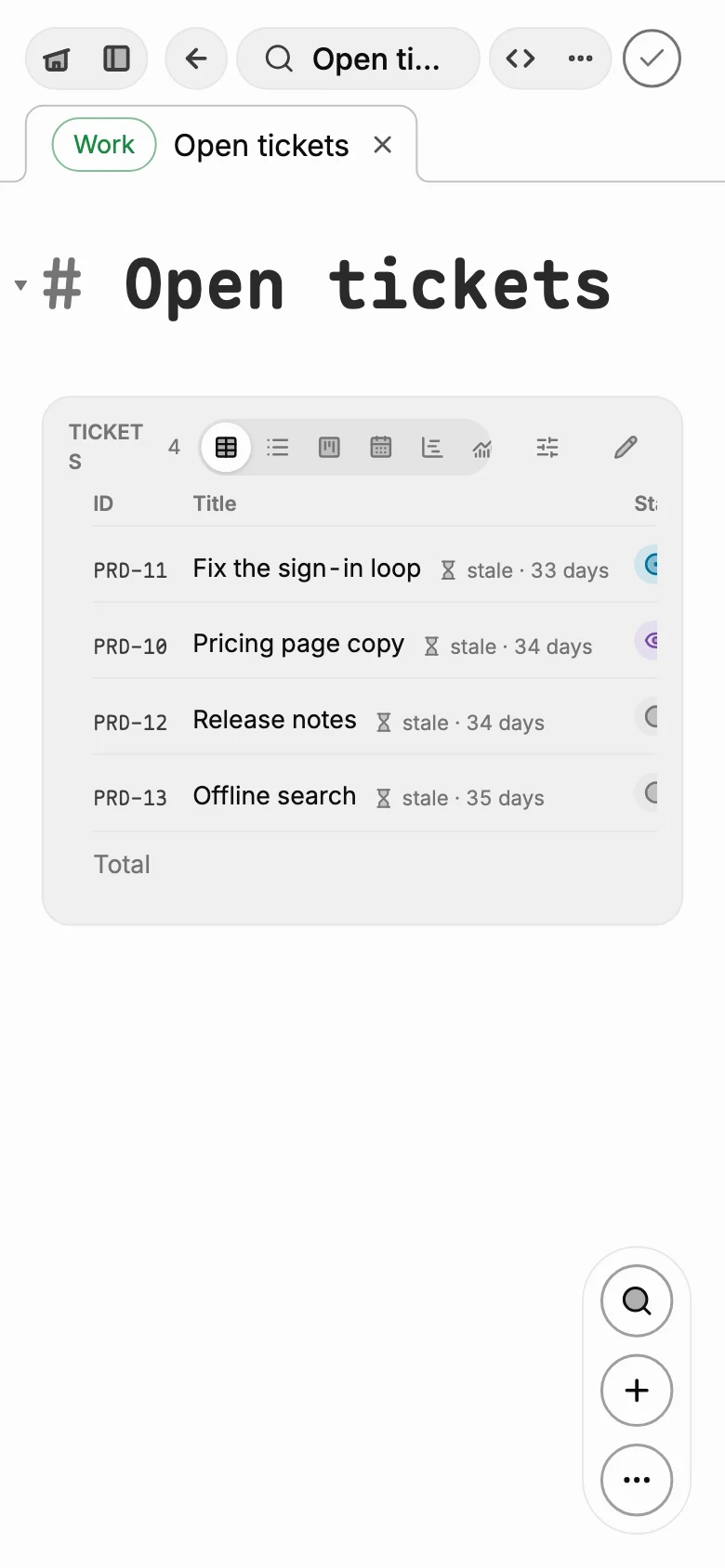
Five lines of a query, drawn as a ticket board that keeps up as the tickets change.
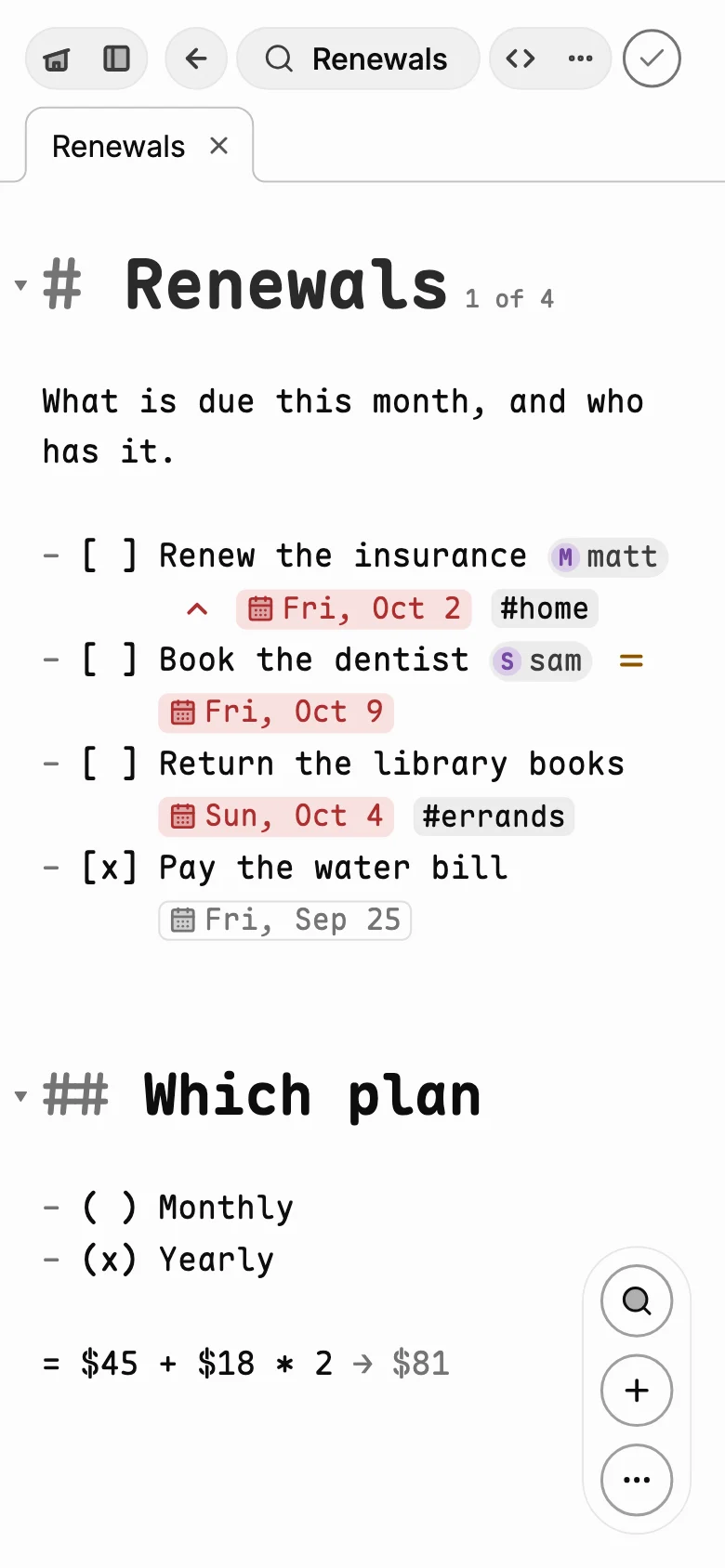
To-dos that carry their details
A person, a priority and a due day on any to-do, as Obsidian Tasks writes them, drawn as chips you tap to change.
- [ ] Renew the insurance @matt ⏫ 📅 2026-10-02
Tickets
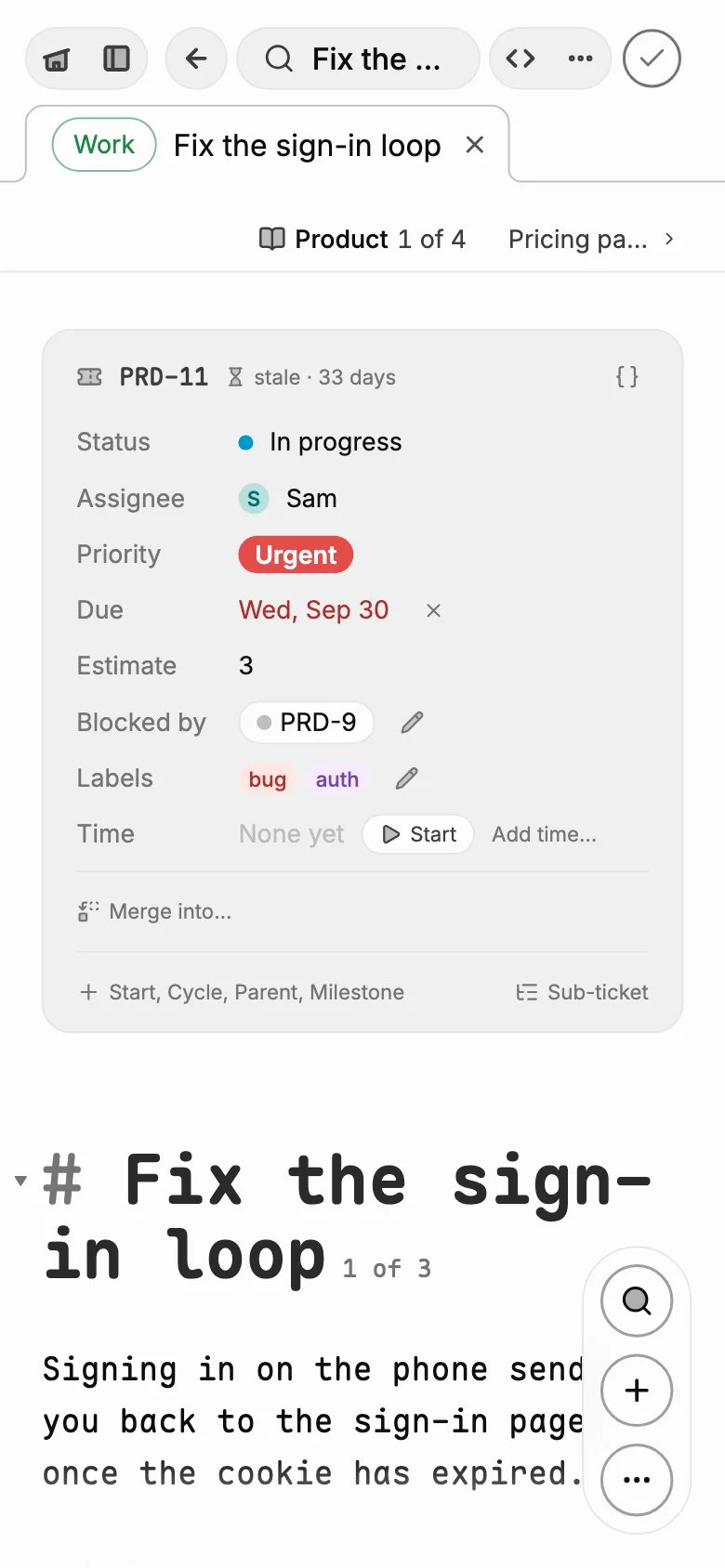
A note whose front matter says it is a ticket. Its fields become a panel at the top, and a notebook with a key numbers them.
---
type: ticket
id: PRD-11
status: In progress
assignee: Sam
priority: highest
---
Queries
What matches across every note, as a table, a list, a board, a month, a timeline or a count. Totals add up as you go.
```query
from: tickets [[Product]]
where: status != Done
sort: priority, due
total: estimate
```
Boards
Named items laid out in columns. Drag a card to move it, and the line under the board sets how tall it is.
```board
To do: ship-page
Done: pick-date
```
Timelines.show: gantt draws a query's tickets as bars across their days.
Sums. A line starting = shows its answer: = $45 + $18 * 2 → $81.
Diagrams. A ```mermaid block is drawn as its diagram, and stays text in the file.
Every mark, with an example to copy, is on the formatting reference. The app's Academy teaches them one at a time, by typing each.
Your files
Plain Markdown, all the way down.
Every note is one .md file, named after its title, in its workspace's folder. Its settings are front matter at the top; everything else is words you can read. Here is a workspace called Product. Tap a file to see what is in it.
workspaces/Product/Fix the login loop.md
---
id: 0f3c9a52-8d1e-4b7a-a3c2-6e1f9b0d4a87
created: 2026-09-24T09:12:40.118Z
---
---
title: "Product"
book: true
key: PRD
statuses: [To do, In progress, In review, Done]
---
# Product

What we are building this quarter.

- [[Sign-in page on the Mac]]
- [[Pricing page copy]]
- [[Fix the login loop]]
- [[Release notes for 1.10]]
---
id: 4b8e2c1a-6f0d-4e39-9b57-1c2a8d3e5f60
created: 2026-09-29T14:02:11.482Z
---
---
type: ticket
id: PRD-11
status: In progress
assignee: Sam
priority: highest
due: 2026-10-02
estimate: 3
blocked-by: "[[PRD-9]]"
labels: [bug, auth]
authors: Matt, Claude
---
# Fix the login loop

Signing in on the phone sends you back to the sign-in page once the cookie has expired.

- [x] Find where the cookie is dropped
- [ ] Refresh it before it expires @sam 📅 2026-10-01
- [ ] Test on a slow network
---
id: 9a1d7e33-2c4b-4f08-8e6a-5b0c3d7f2e19
created: 2026-09-27T16:45:02.907Z
---
---
type: ticket
id: PRD-10
status: In review
assignee: Matt
priority: high
due: 2026-10-03
estimate: 1
---
# Pricing page copy

Three plans, said plainly.

| Plan | Price | For |
| --- | --- | --- |
| Free | $0 | One device |
| Sync | $4 | Every device |
---
id: 5e8f1c24-7b9a-4a3d-9c61-2d4e8f0b6a17
created: 2026-09-26T11:03:47.552Z
pinned: true
---
# Launch plan

- [ ] Ship the pricing page ^ship-page
- [x] Pick a launch date ^pick-date
- [ ] Record the demo ^record-demo

```board
To do: ship-page
In progress: record-demo
Done: pick-date
```
---
id: e3b6d018-4c2f-4e7b-a95d-8f1c0a3b2d64
created: 2026-10-01T09:30:12.004Z
source: capture
---
# Standup

## Summary

We agreed to ship the home page on Friday.

- [ ] Write the release notes @matt
- [ ] Ask Sam about the screenshots

**0:04** Morning, everyone. Quick one today.

**0:11** The home page is ready for review.
# Ghost.md versions 1
# note 5e8f1c24-7b9a-4a3d-9c61-2d4e8f0b6a17
# A version is the change from the one before it: "=N" keeps N lines, "-" takes a line out, "+" puts one in.

v1 2026-09-26T11:03:47.000Z matt 0351c39d full
  +# Launch plan
  +
  +- [ ] Ship the pricing page ^ship-page
  +- [ ] Pick a launch date ^pick-date
  +
v2 2026-09-29T16:20:05.000Z sam dfb138ca "Date picked"
  =3
  -- [ ] Pick a launch date ^pick-date
  +- [x] Pick a launch date ^pick-date
  +- [ ] Record the demo ^record-demo
  =1
v3 2026-10-01T09:41:30.000Z matt 8bf4ec9b
  =6
  +```board
  +To do: ship-page
  +In progress: record-demo
  +Done: pick-date
  +```
  +
The search index: a cache, rebuilt from the .md files whenever it is missing. Delete it and no writing is lost.
What a note has that is not text: its recording's length, and the phrases that line its words up with the sound.
The meeting's tape, kept beside the library, on the device.
A picture a note shows, as  in its words.
Nothing locked away. The files are the notes. The index beside them is a cache, rebuilt from the files whenever it is missing.
Read anywhere. Obsidian shows the front matter as properties, GitHub draws it as a table, and every list, table and link is ordinary Markdown.
Settings you can see. The first block at the top is the library's: the note's id and when it was made. A ticket or a notebook has a second, its own: a ticket's fields, a notebook's key.
On Android and the Mac. In a browser, notes are kept in the browser's own storage.
Organizations
Write together, in the same note, at the same time.
Make an organization and invite people by their handle or with a link. Each member gets the organization's workspace, and a note filed there is the team's: on everyone's devices, and open to everyone at once.
Live cursors. Typing reaches the others as it is typed. Everyone in the note is a caret in their own colour with their name on it, and what they select is washed in it.
Who is where. The organization's page shows who is here now and what they are editing. Open someone's profile and Jump to cursor takes you to the spot they are writing.
Comments. Leave one on a few words or a line, reply in a thread, and resolve it when it is settled. Comments are kept in the note's own Markdown, so any editor can read them.
Every change, by who. A team's notes keep their version history from the start, and the audit log lists every change to every note in the workspace, with the team's news beside it.
Sealed for the team. Team notes are encrypted with a key only members hold. The service can't read a title, a word, a comment or where anyone's cursor is.
Slack, if you want it. Post a note, a meeting's summary or the team's news to a channel. Nothing is sent unless you choose to.
Organizations come with a Ghost.md account. Their names and members' handles are kept on the service so an invitation can reach people; the notes stay encrypted.
Version history
Every version, kept like git.
A note can keep every version of itself: after a pause in the writing, when you leave it, or by hand with a name. Notes in an organization keep one from the start; any note of your own does once you switch it on under More. Open the history and it is a timeline of who changed what, and when.
workspaces/Product/Launch plan.versions
# Ghost.md versions 1
# note 5e8f1c24-7b9a-4a3d-9c61-2d4e8f0b6a17
# A version is the change from the one before it: "=N" keeps N lines, "-" takes a line out, "+" puts one in.

v1 2026-09-26T11:03:47.000Z matt 0351c39d full
  +# Launch plan
  +
  +- [ ] Ship the pricing page ^ship-page
  +- [ ] Pick a launch date ^pick-date
  +
v2 2026-09-29T16:20:05.000Z sam dfb138ca "Date picked"
  =3
  -- [ ] Pick a launch date ^pick-date
  +- [x] Pick a launch date ^pick-date
  +- [ ] Record the demo ^record-demo
  =1
v3 2026-10-01T09:41:30.000Z matt 8bf4ec9b
  =6
  +```board
  +To do: ship-page
  +In progress: record-demo
  +Done: pick-date
  +```
  +
Only what changed. Each version is a line saying who and when, then the lines it took out (-) and put in (+), as git keeps a change. Every fiftieth is a whole copy, and each is checked against its hash.
Go back to any of them. A version shows what it changed, and what restoring it would. Restoring keeps a new version, so going back can be undone too.
A file you can send. It sits beside the note, moves with it, and syncs sealed like the note. Two devices that both kept versions are merged, so none is lost.
On Android and the Mac from 1.12.0. In a browser, versions are kept in the browser's own storage.
Private
Yours, and only yours.
No account needed. Without one, nothing of yours is on a server.
Sealed before it syncs. Notes, tapes and pictures are encrypted on the device, end to end. The service can't read them.
No ads, no trackers. Only anonymous usage stats in the app, which you can turn off, and none on this site.
Teams, sealed too. An organization's notes are encrypted with a key only its members hold.
Take it all with you. Export everything as one .ghostex file: every note as Markdown, its pictures and files, password protected if you like.
Integrations you choose. Each plugin is added or removed in the Market, and Local only holds back every one that uses the internet.
Connecting Claude through our hosted connector lets it read your notes while connected; run the connector on your own computer to keep your key there. The privacy policy
Get it onGoogle PlayComing soonDownload on theApp StoreComing soon
The Windows app is not signed yet. The first time, Windows says it protected your PC: choose More info, then Run anyway.
The Mac app is not notarized yet. The first time, macOS says it can't check it: choose Done, then System Settings › Privacy & Security › Open Anyway. On macOS 14 or older,
Control-click it and choose Open.